Not Quite the Push-Button Privacy Solution You'd Come to Expect in 2016
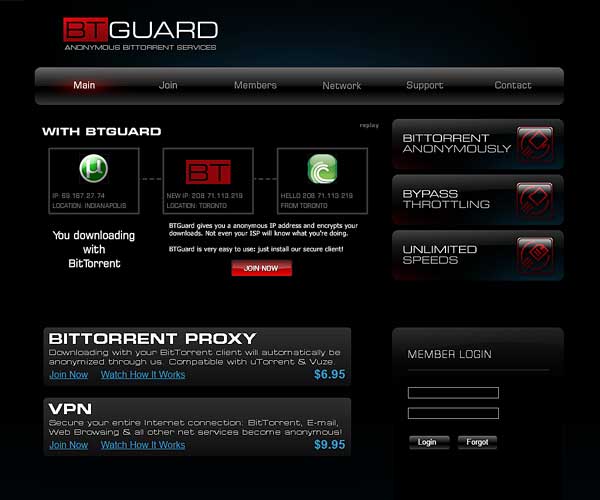
BTGuard VPN comes without special configuration software or apps, this means it has to be configured manually
Setup is a bit cumbersome, but there are good instructions for all operating systems and variants on the BTGuard website.
If done correctly, it works well on all operating systems.
You can choose between two configuration variants: PPTP and OpenVPN. I recommend OpenVPN, it's more secure than PPTP.
(The NSA presumably decrypts PPTP-encrypted communications as standard as Edward Snowden's revelations have shown.[1])
Once connected, the VPN secures the entire internet connection. I've tested it with BitTorrent and browsing simultaneously.
(Nowadays, I don't use it anymore. I use VyprVPN as my everyday privacy solution. Prices start at $5/month.)
The speed for surfing and BitTorrent with BTGuard is good, but the speed for watching online videos is often too slow.
"No records of usage stored", they say on the website. The company, Netcrawled LLC, is incorporated in the United States.
Good for the tech-savvy person: Runs on Linux and wireless routers and access points with DD-WRT or Tomato firmware.
I miss an indicator, for example an icon in the Windows status bar, that tells me whether the VPN is running.
Conclusion
Basic and cheap VPN to hide your IP address and circumvent geo restrictions. There are faster VPNs than this one. People who only need BitTorrent protection are better off with BTGuard proxy
Overall 2 of 5 stars
- ProKeeps no logs
- ProFor many devices
- ConFew servers
- ConVideo slow
| Apps | No |
|---|---|
| Protocols | OpenVPN, PPTP |
| Locations | 3 in 3 countries[1] |
| Connections | 1 |
| Speed | 2 of 5 rockets |
| Traffic/mo | No restrictions |
| Price/mo | $9.95 |
| Price/yr | $89.95 |
| Free Trial | No |
| Support | Average |
| Country | United States |
Newsletter
Insert your email below and get the link to this offer. You will also subscribe to my newsletter and receive more security and privacy software reviews from me in the future.
Was this review helpful? Your opinion
Last updated: